 Volter
AREI compliant
Draw your single-line diagram, automatically from your floor plan
Create a floor plan and single-line diagram that meet Belgian regulations.
In your browser, no account needed
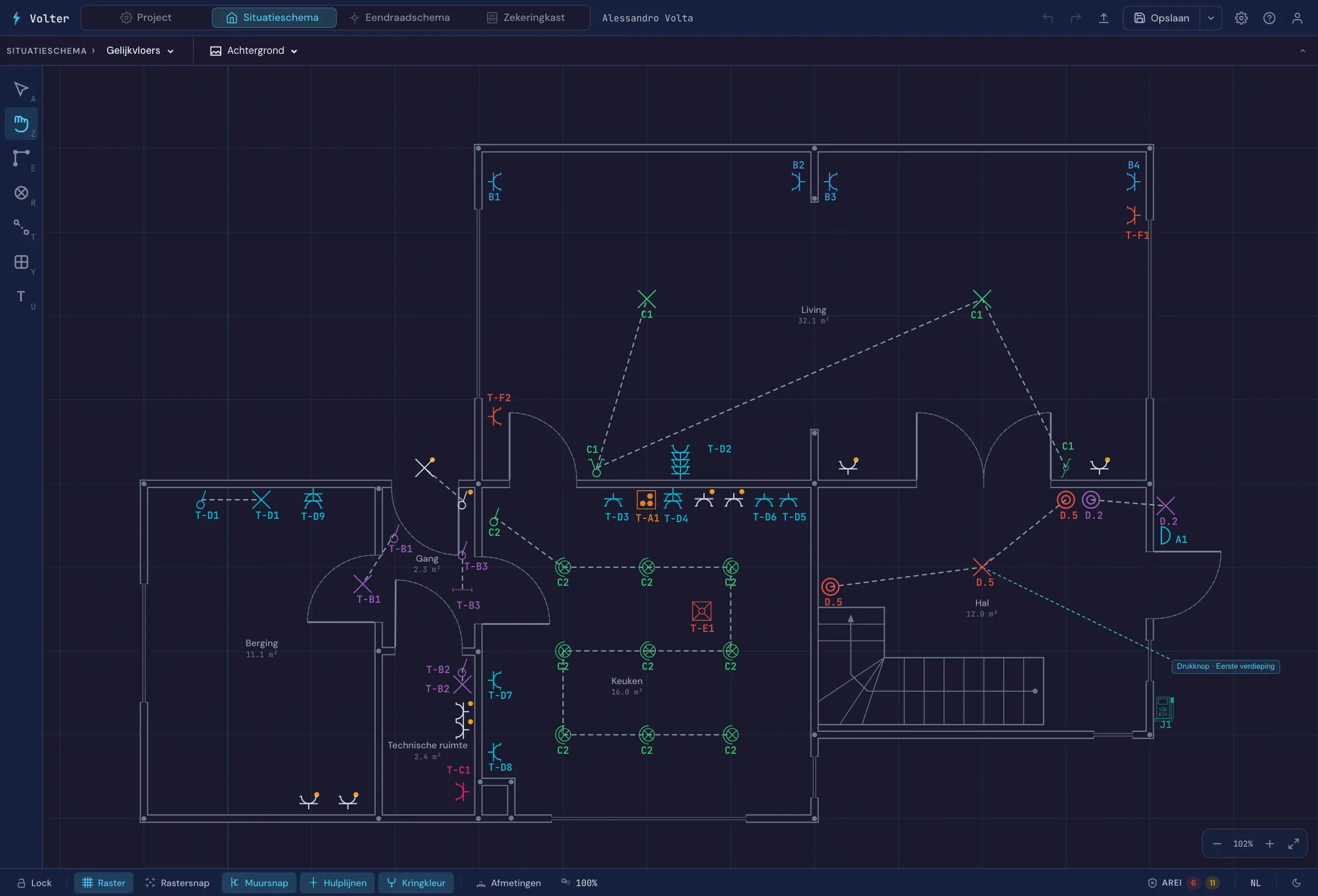
AREI Validation
Real-time compliance checking with specific regulation references.
Automatic Single-Line Diagram
The single-line diagram is generated automatically from the symbols, their circuit assignments, and the board configuration. Every change is reflected instantly.
Official AREI symbols
Extensive AREI-standard library with symbols for lighting, switches, outlets and more.
Professional Export
Multi-page PDF ready for inspection: cover page, floor plan, single-line diagram, circuit table.
Share the diagram with your client
A link, or a QR sticker in the fuse box. Your client opens the site plan and single-line diagram on their phone, without an account.
- Sharing per project
- QR sticker on A4 label sheets, Brother or Dymo
- Your name and phone number for every question or fault
Built for Belgian electricians
- Official AREI symbols
- 4 languages
- In the browser or as an app
In your browser, or as an app on your own device
Open Volter in the browser and start right away, no install. Or install the app on macOS, Windows, Linux, iOS or Android and keep working when there is no internet on site. You sign in with the same account everywhere and your projects sync as soon as you are back online.
Short answers to the most common questions
Is a diagram from Volter valid for the inspection?
Yes, that is what it is made for: you export your diagrams as a PDF and hand that to the inspector. Volter draws to the AREI conventions and checks your installation against the rules in Book 1, so you spot mistakes before the inspector does. That check is an aid, not a guarantee: it catches a lot, but not every situation. Verifying that your diagram is right and your installation compliant remains the installer's job.
What do I hand to the inspector?
The two diagrams they need: the floor plan and the single-line diagram. Volter puts them in one PDF, with your board layout alongside and the details of your job site and of you as the installer in the footer. That is exactly the part of the inspection file you provide. The measurements and the inspection report come from the inspection body afterwards.
Do I have to draw my single-line diagram separately?
No. You place your devices on the floor plan and divide them across circuits. The single-line diagram is generated automatically and keeps up as you work on the plan.
More about the single-line diagram from your floor planWhat can I do without a subscription?
Without an account you open the demo home and try the full editor, including the AREI validation and the single-line diagram. Changes to that demo are not saved. Saving your own projects belongs to the subscription. If your subscription ends later, you keep opening your projects and exporting them as a backup, you just cannot save them anymore.
Which devices does Volter run on?
Volter runs in the browser at app.volter.be, so there is nothing to install. Prefer an app? It is available for macOS 12 or newer with Apple Silicon, Windows 10 or newer, Ubuntu 20.04 or newer, for iOS on the App Store, and for Android on Google Play. With the app you keep working without internet, handy on a job site with no connection.